Introducing Moments, my new wee app for sorting through your photos on iPhone and iPad! It works directly with your Apple Photos library, so there’s no account to create or photos to import.
I’m often taking twenty versions of the same photo. Portrait, landscape, another one because someone blinked, then a few more just in case. Picking out the good ones afterwards was always a bit of a chore, so I made Moments to give that job a nicer workflow.
One pile at a time
Choose a day out, a holiday, or just an afternoon, and Moments groups related photos into little piles using visual similarity, time and location. You can then work through them at your own pace, keeping your favourites and archiving the extras. There’s also a Suggest Keeps feature to give you a starting point, including looking for shots where people aren’t blinking. You can always change its choices.
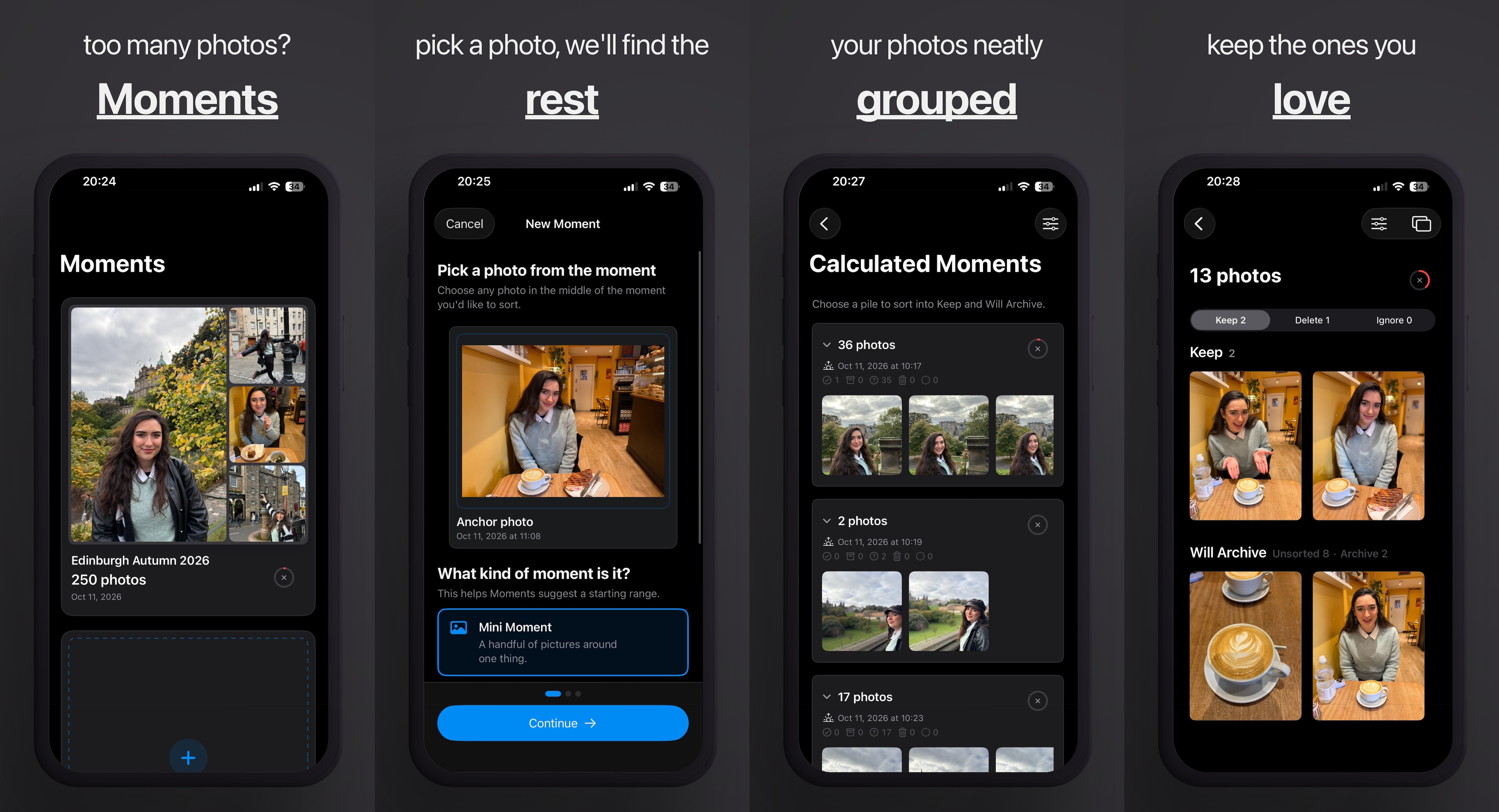
When you’re ready to sync, your choices go into two albums right in Apple Photos: something like “Paris” and “Paris (archive)”. One for the photos you want to show people, and another for all those extra shots you aren’t quite ready to part with. Archiving simply organises them into an album; if you do want to delete any, that’s a separate step with a confirmation.
Try It Out!
If your photo library looks anything like mine, I hope this makes sorting through it a little more enjoyable. Have a look at the Moments page for the full walkthrough, or give it a go on the App Store. Enjoy!