The notes feature in Chapters had kind of been niggling at me, and I think i’ve made significant improvement to the feature. Now you can see three lines be default instead of just two which I think is a big help on it’s own. But if you want to easily refer to a long one now you can swipe from the leading edge and expand and collapse a complete note which I think makes them super helpful.
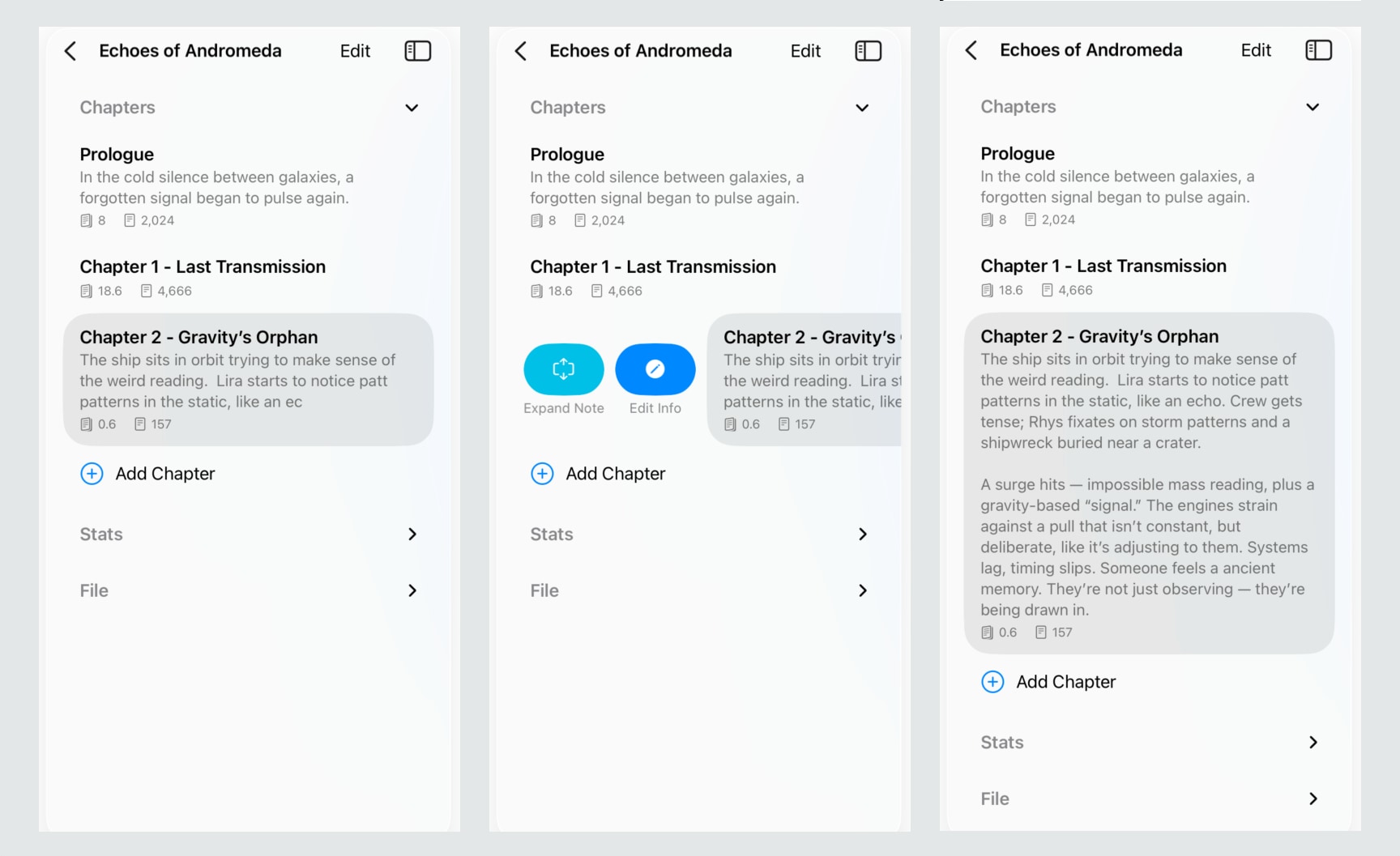
That expand/collapse was suprisingly difficult to get working in SwiftUI, seems that a List view doesn’t nicely support animating the size well, it looked super glitchy so instead I had to trigger a redraw of that sectoin anytime it changes, that’s why the toggle is instant as opposed to a nice gently animation.
There’s also a little bit of polish on the layout, the alignment and spacing of the chapter text and stats is improved. Next feature I’ll tweak is the page goal to make it easier to ‘repeat’ while you’re in the flow. Still debating in my head whether to have a settings page for font to offer a monospace option, I quite like that there is no settings at all though.
Check out v0.3 of Chapters - in the App Store. If you’re using Chapters to write your next amazing story I’d love to hear about it!